Running an online business by yourself creates a strange problem.
You may be a team of one, but your software stack can quickly look like it was built for a company of fifty.
One tool for landing pages. Another for email. Another for sales funnels. Another for courses. Another for automations.
Before long, you are paying for several subscriptions—and spending just as much time connecting your tools as actually running your business.
That is exactly why I wanted to test Systeme.io from a solopreneur’s perspective.
Instead of simply reading its feature list, I created a free account and tested the dashboard, funnel builder, email campaign tools, custom sender setup, and automation system myself in September 2026.
Here is what I found.
Affiliate disclosure: This article may contain affiliate links. If you sign up or purchase through one of these links, Growth Stack Lab may earn a commission at no additional cost to you. This does not affect how I evaluate the product.
Quick Answer: Is Systeme.io Good for Solopreneurs?
For many early-stage solopreneurs, yes.
Systeme.io is particularly interesting if you want to reduce the number of separate tools required to run a simple online business.
From one dashboard, I was able to access tools for sales funnels, email campaigns, websites and blogs, marketing automation, courses, contact management, sales, and creator stores.
The biggest attraction is not that every individual feature is the most advanced tool in its category. It is that one account can handle several jobs that would otherwise require multiple SaaS subscriptions.
And you can test a surprisingly large part of the platform without paying.
Want to see whether it fits your workflow? You can start with the free plan and test the core features yourself.
What You Actually Get on the Free Plan
This is where Systeme.io became more interesting to me.
The free version is not simply a short trial. At the time of this review, Systeme.io offers a permanent $0 plan with enough capacity to build and test a real one-person online business.
| Feature | Free Plan |
|---|---|
| Price | $0/month |
| Contacts | 2,000 |
| Sales funnels | 3 |
| Funnel steps | 15 |
| Email sends | Unlimited |
| Email campaigns | 1 |
| Automation rules | 1 |
| Workflows | 1 |
You also get access to a custom domain, blog, course-related features, and additional sales tools on the Free plan, so it is more than a stripped-down demo account.
What Can Systeme.io Replace in a Solopreneur’s Tech Stack?
For a one-person business, the biggest potential advantage is consolidation.
Instead of thinking of Systeme.io as one application, it makes more sense to think of it as several basic business tools bundled into one platform.
From the dashboard, I could access sales funnels, email marketing, automation, websites, contact management, sales tools, and other features from the same account.
That matters for a solopreneur because every additional SaaS tool means another subscription to learn, configure, maintain, and pay for.
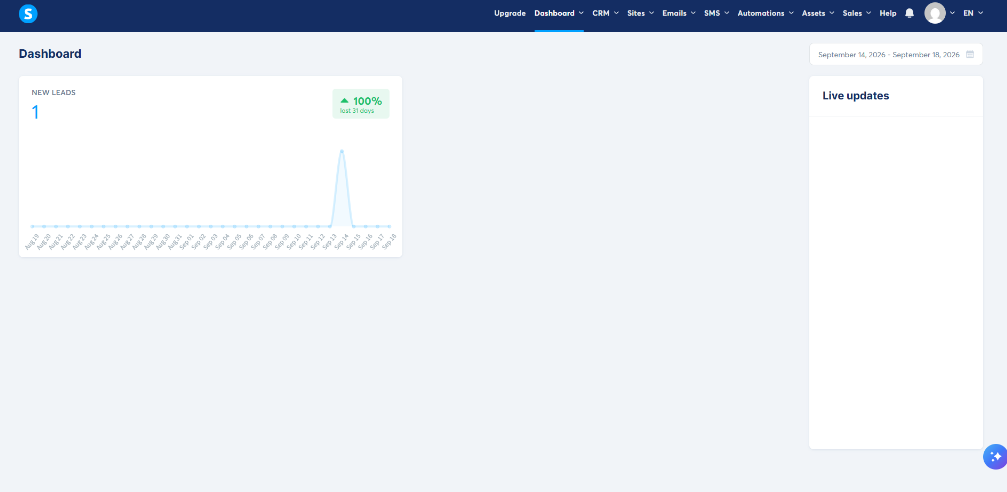
The Systeme.io dashboard I tested in September 2026. Funnels, email, automations, sales and other tools are accessible from the same interface.
I Built a Funnel on the Free Account: Here’s What I Found
I wanted to know whether the funnel builder was actually usable rather than merely listed as a feature.
So I created a test funnel inside my free account.
Systeme.io asked me what I wanted the funnel to do, with options including building an audience, selling a product or service, creating a custom funnel, and running an evergreen webinar.
For my test, I chose to build an audience. Systeme.io then created a funnel structure containing an Opt-in Page and a Thank You / Download Page, with a library of templates available directly inside the funnel builder.
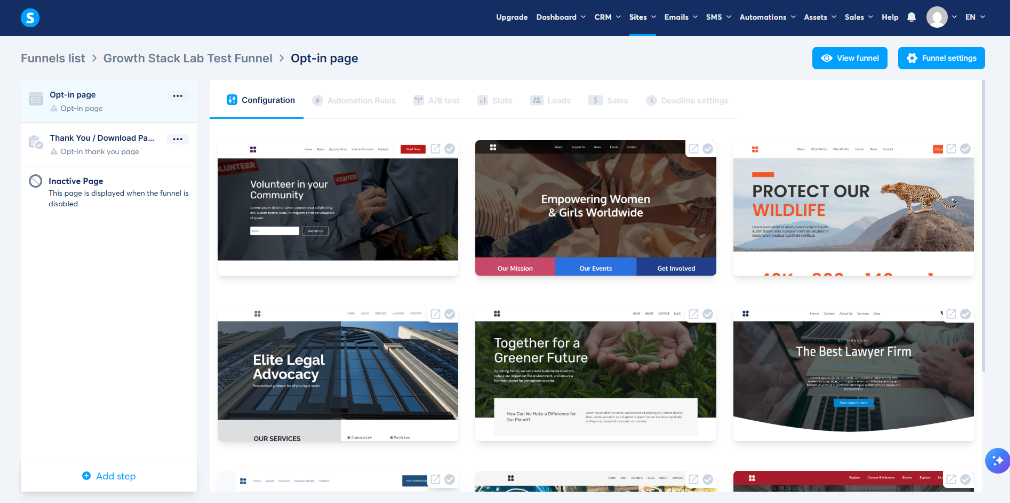
My test funnel inside Systeme.io. The platform created an opt-in step and a thank-you step and provided multiple templates to start from.
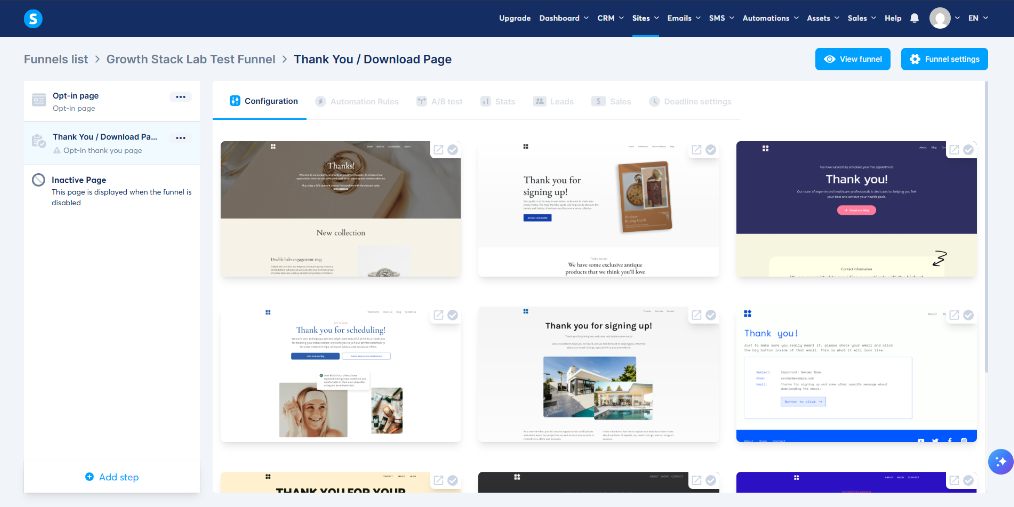
The thank-you page step inside my Systeme.io test funnel. I could choose from multiple ready-made templates for the second step as well.
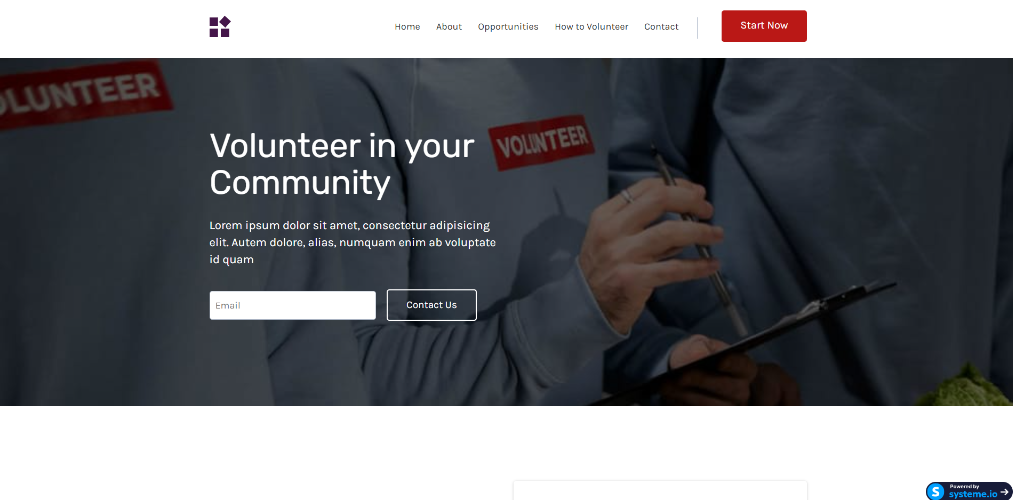
The Systeme.io page editor during my test, with an email field and form button ready to customize.
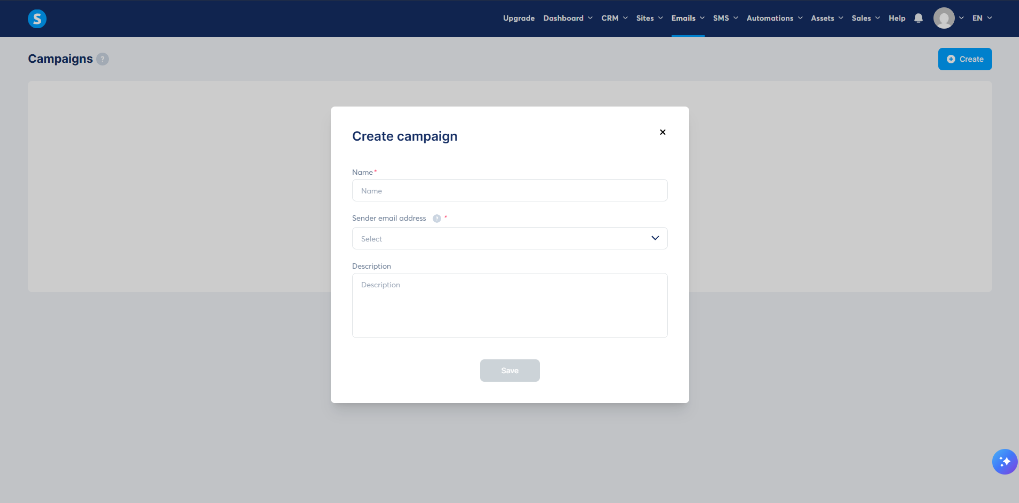
The campaign creation screen inside my Systeme.io account.
Email Marketing Is Built Into the Same Platform
Email marketing is built directly into Systeme.io, so I did not need to connect a separate email platform just to test a basic campaign.
Inside the Emails section, I could create campaigns, newsletters, and review email statistics from the same account.
I also tested a branded sender setup using my own domain. I configured hello@getgrowthstacklab.com as the sender address and authenticated getgrowthstacklab.com inside Systeme.io.
The domain setup was more technical than creating the funnel because it required DNS records, but once the records were added correctly, both the domain and sender email showed as verified.
For a solopreneur, this is useful because lead capture, email follow-up, and funnel activity can all stay inside the same platform instead of being split across several separate tools.
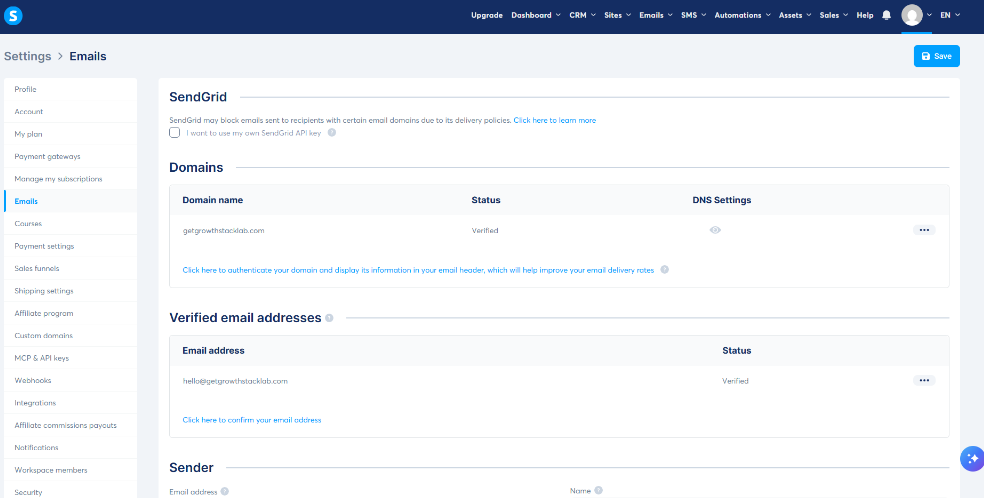
My custom domain and branded sender email after authentication inside Systeme.io.
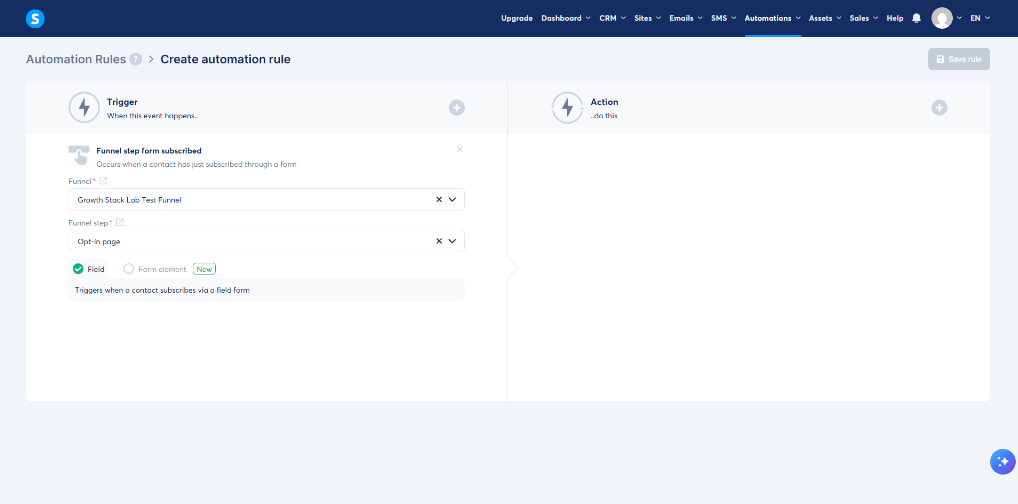
My test automation trigger connected to the opt-in page I created earlier.
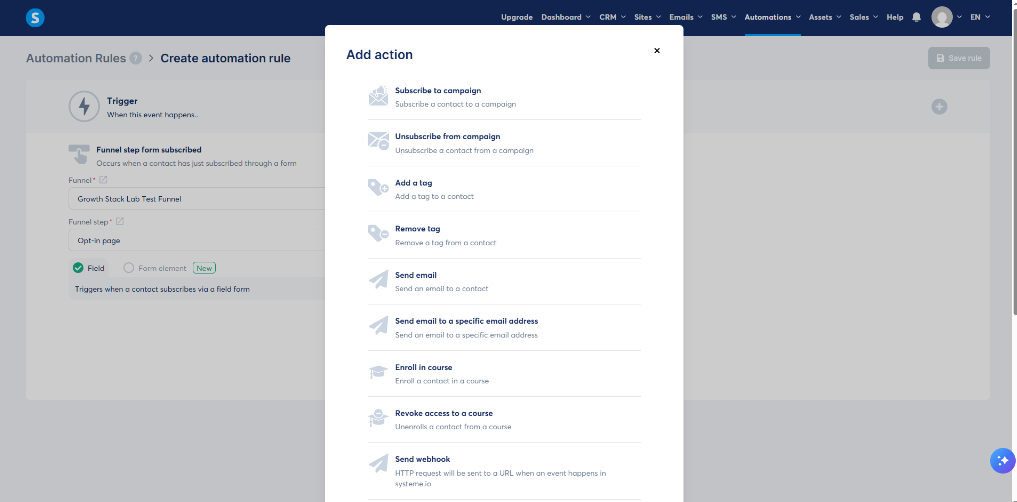
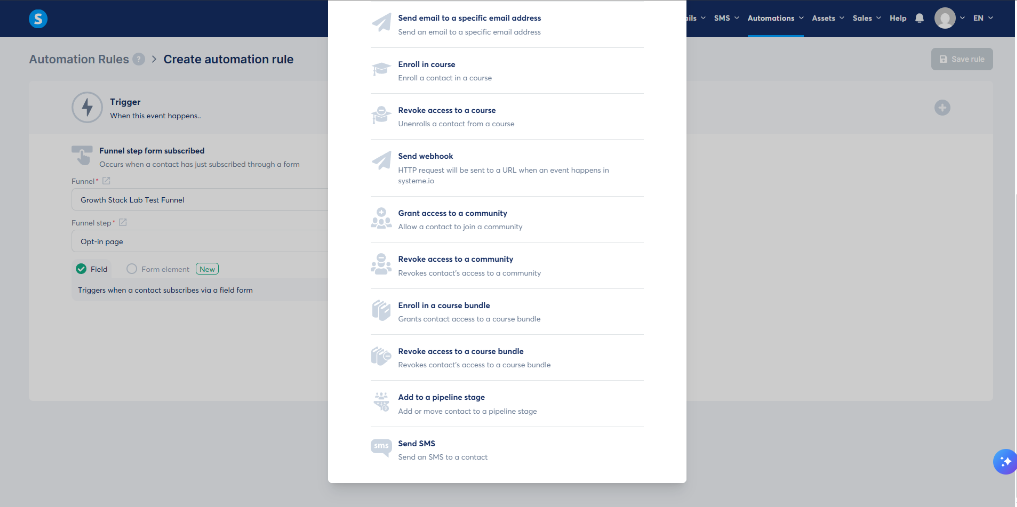
Some of the actions available after a visitor submits a form, including campaign enrollment, email, tags, courses and webhooks.